The Grading Chaos You Know
You teach 80 students across 4 sections. Here's your current workflow:
Quizzes: Taken in LearnNet (or Google Forms), scores tracked in a spreadsheet.
Assignments: Submitted via email or Google Drive. You download, grade, and upload scores to a separate sheet.
Exams: Paper-based or a timed online test. Scores entered manually.
Participation/attendance: A third spreadsheet, updated sporadically.
Final grade: You calculate a weighted average in Excel, then upload it back to your institution's system.
Time spent: 6–8 hours/week on grade logistics, not actual feedback.
Errors: Transcription mistakes. Students never see rubrics. Parents get semester-end surprises.
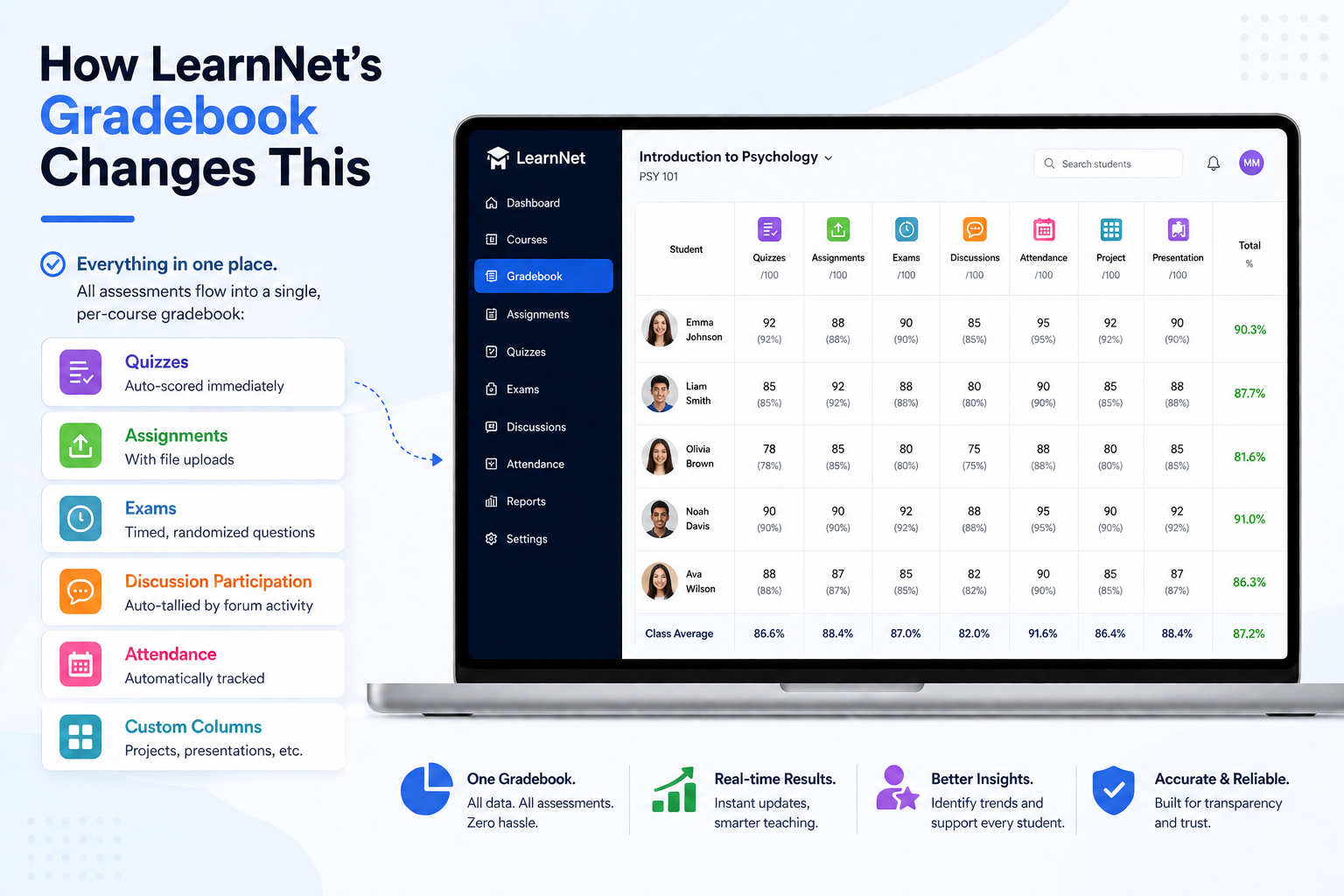
How LearnNet's Gradebook Changes This
Everything in one place.
All assessments flow into a single, per-course gradebook:
Quizzes (auto-scored immediately)
Assignments (with file uploads)
Exams (timed, randomized questions)
Discussion participation (auto-tallied by forum activity)
Attendance
Custom columns (projects, presentations, etc.)
Key Features
Weighted grade calculation. Set up your course grading formula once:
Quizzes: 20%
Assignments: 30%
Midterm: 20%
Final exam: 30%
LearnNet auto-calculates weighted grades as scores roll in. No spreadsheet needed.
Rubric-based grading. Define rubrics for assignments (e.g., "Clarity," "Argumentation," "Evidence"). Grade each student against the rubric; the platform calculates the score. Students see exactly where they lost points.
Real-time student view. Every student sees their current grade, which assessments are pending, and what they need to hit their target. No end-of-semester shock.
Group work & peer review. Assign group projects. Grade the group. LearnNet distributes grades fairly and lets peer reviewers evaluate each other (with rubrics).
Bulk upload & import. Got legacy data or a pre-graded assessment? Bulk-upload scores as CSV. Platform validates and slots them instantly.
Grade history & audit trail. Every grade change is logged (who changed it, when, why). Transparency for parents and admin audits.
Real Impact
For instructors:
Grading time drops 40–50%.
Rubrics make feedback actionable, not just "Good job!"
You can run multiple sections from one gradebook, filter by class.
For students:
Grades appear in real time (as you score quizzes, they see their updates).
They know exactly where they stand and what to improve.
They get rubric-based feedback, not just a number.
For admins:
You see transcript-ready grades. No reconciliation.
You can flag at-risk students (trending below 60%) and intervene early.
Before & After
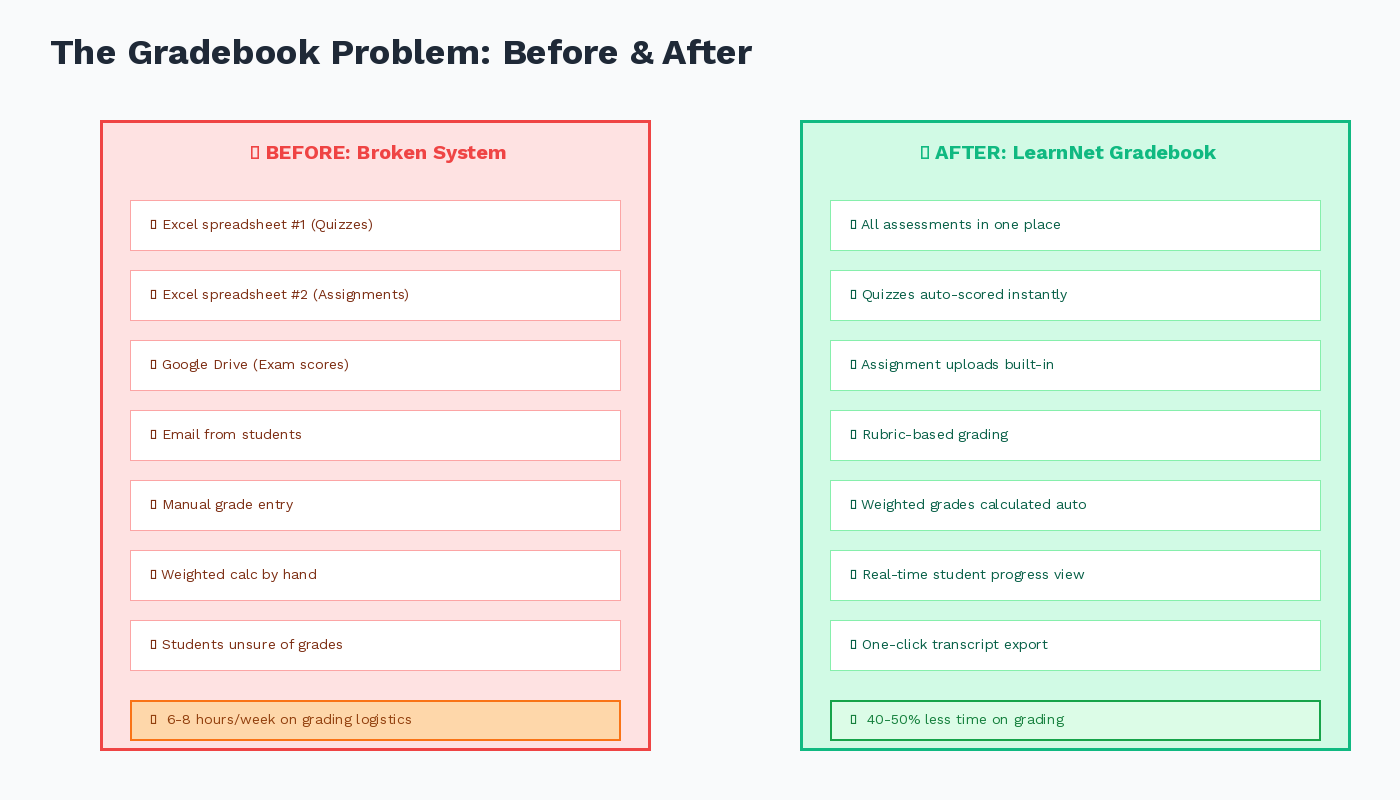
TaskBeforeAfterRecord quiz scoreManual entry in ExcelAuto-recorded; instant student notificationGrade an assignmentDownload, grade offline, email backSubmit in platform; see rubric; grade; send feedbackCalculate final grade20 min manual calcAutomatic, real timeView a student's progress3 different spreadsheetsOne dashboard: all assessments, running grade, trendsRetry a quizManual reset + re-gradingOne click; old attempt archived
CTA: Ditch the spreadsheet grading workflow. Gradebooks should work for you, not the other way around. Explore LearnNet's gradebook